Frequently asked questions
About the transition
Why is RapidPay shutting down?⌄
RapidPay is being retired and replaced by LEAP Online Payments, powered by FeeWise. LEAP Online Payments provides the familiar integrated payment functionality of RapidPay, together with additional payment methods and features designed to make it easier for your firm to get paid.
Will there be any interruptions to accepting payments?⌄
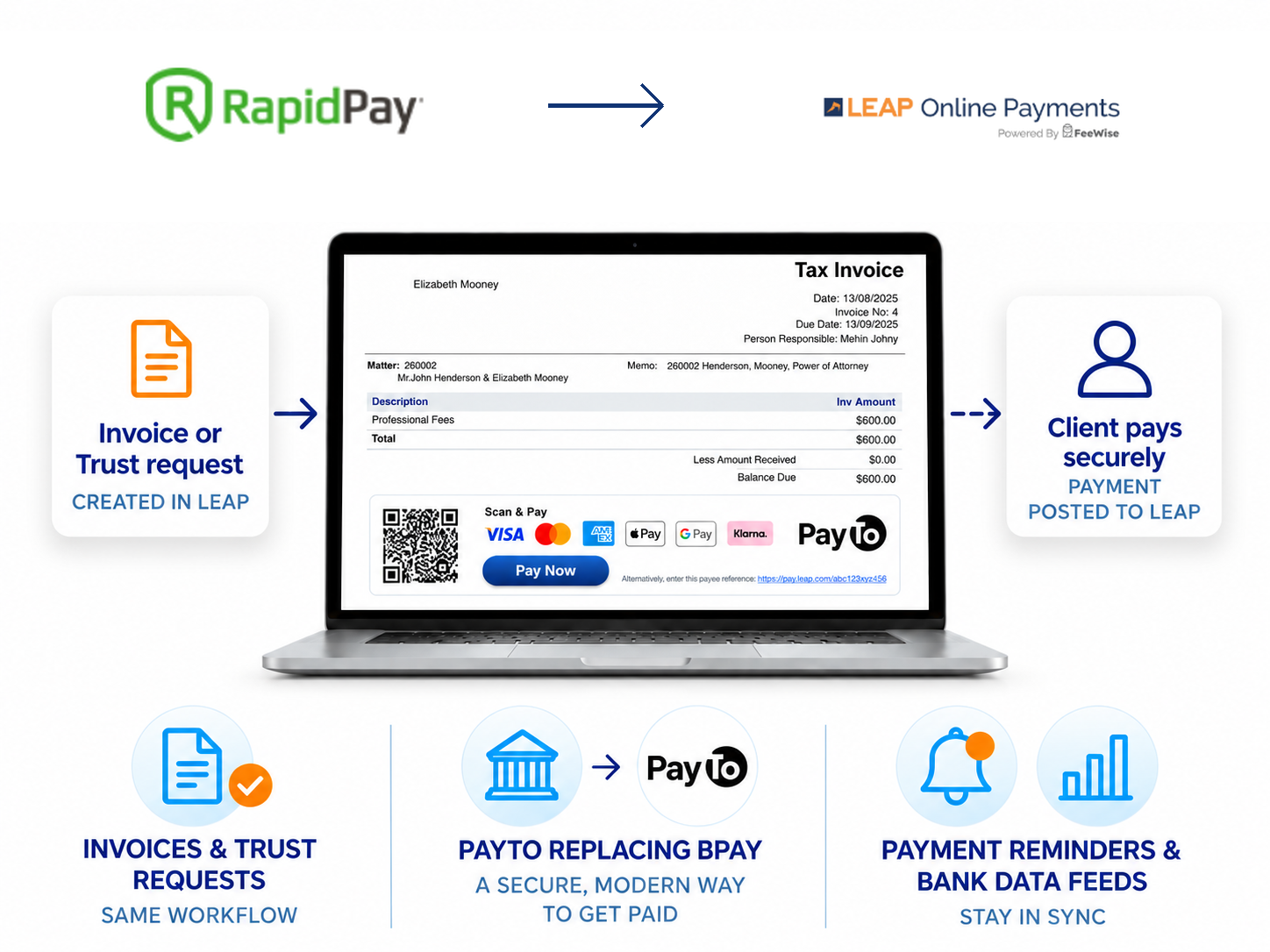
No. Your firm can continue accepting payments through RapidPay during the transition. Once your firm moves to LEAP Online Payments, existing RapidPay payment footers will continue to work by automatically directing clients to the new LEAP Online Payments payment page. You do not need to reissue existing LEAP invoices or trust requests.
What happens if my firm doesn't move to LEAP Online Payments before RapidPay payment acceptance ends?⌄
RapidPay payment processing will shut down on 1 December 2026. If your firm has not moved to LEAP Online Payments by then, you will no longer be able to accept payments through RapidPay. We recommend completing your onboarding well before this date.
Why does our firm need to complete onboarding if we already use RapidPay?⌄
LEAP Online Payments operates on a new payment platform. Your firm needs to complete onboarding so we can verify your business and bank account details and establish your LEAP Online Payments account.
What do I need to do now?⌄
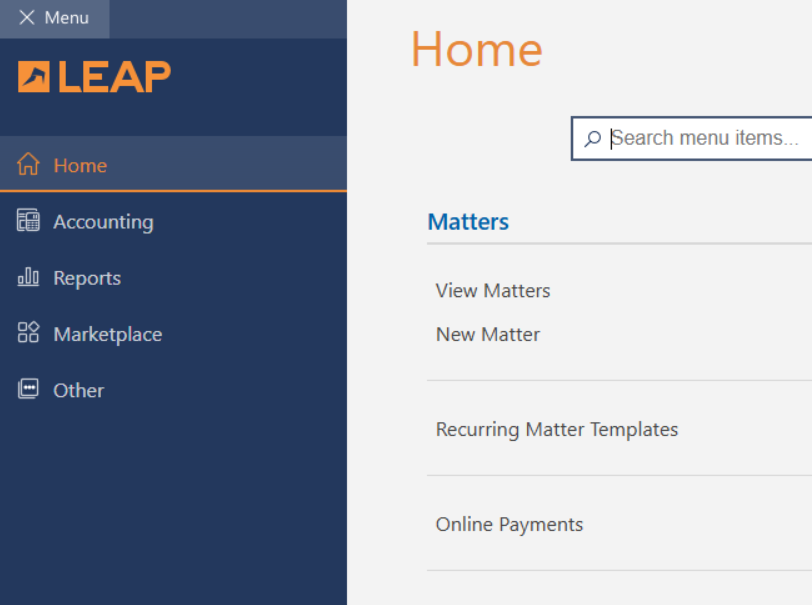
We recommend joining a complimentary information session to see LEAP Online Payments in action and get your questions answered. You should also complete your onboarding in LEAP by going to Menu → Home → Online Payments.
When can my firm start using LEAP Online Payments?⌄
Once your LEAP Online Payments account has been set up, we’ll send you a welcome email to let you know. If you haven’t already done so, you will then need to upgrade to LEAP version 2.6.240.0 or later before you can start using LEAP Online Payments.
Fees
What are the fees?⌄
There are no monthly or annual subscription fees for processing payments with LEAP Online Payments. Transaction fees vary by payment method. View our Pricing page for current card, PayTo and Pay Later transaction fees.View pricing
Can my firm surcharge card transaction fees?⌄
No. In accordance with the Australian Government’s ban on card surcharging, firms will not be able to surcharge card transaction fees through LEAP Online Payments from 1 October 2026.
Client payments
What card and payment options can be used with LEAP Online Payments?⌄
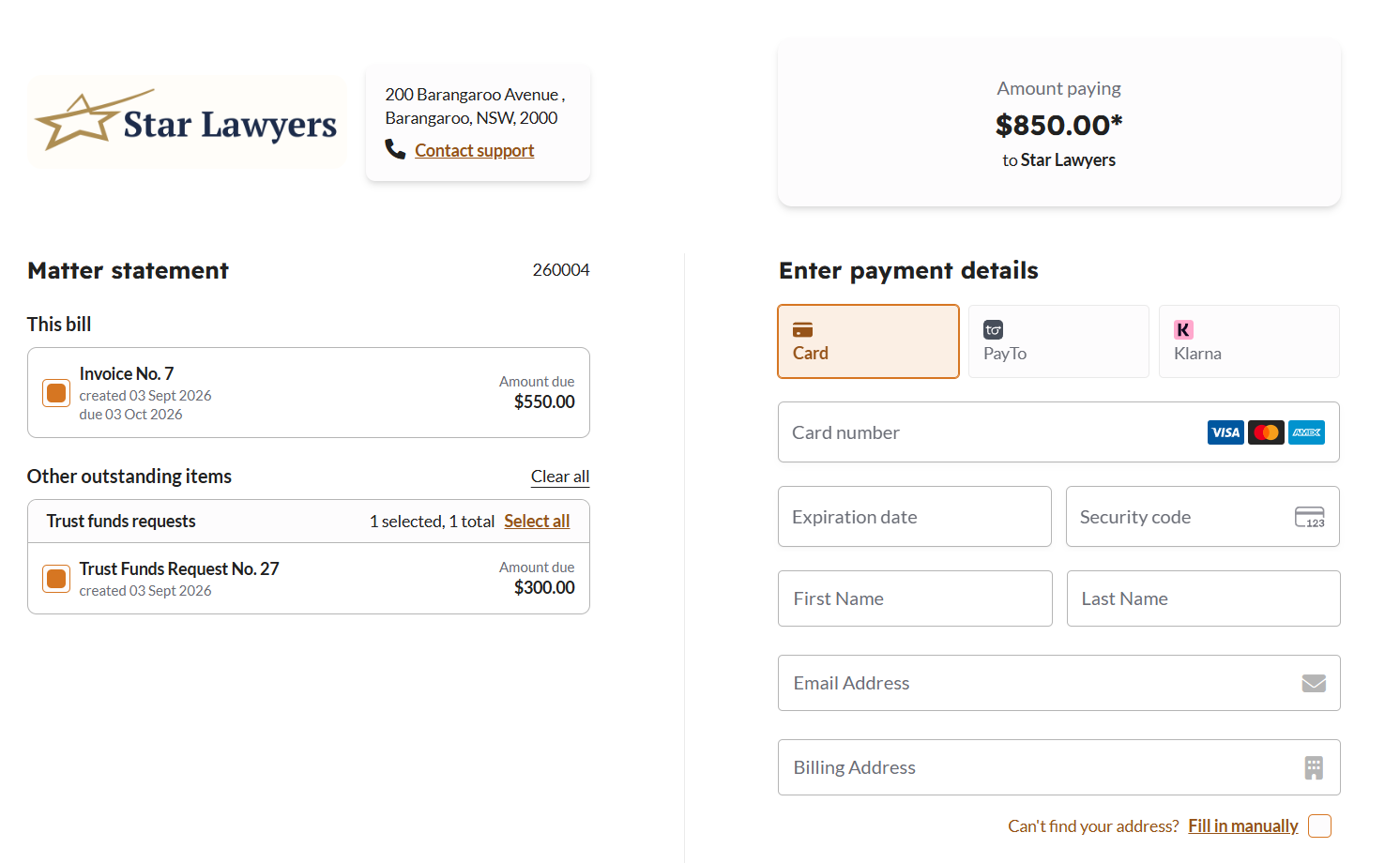
LEAP Online Payments accepts all major credit and debit cards, including Visa, Mastercard, American Express and Diners Club. Clients can also pay using Apple Pay, Google Pay, PayTo and Pay Later through Klarna, where available.
Can my firm collect payments in person or over the phone?⌄
Yes. If you have the client’s card details available, a member of your firm can open the relevant LEAP invoice or trust request, click Pay Online and process the payment on the client’s behalf. For consultations or other common fees your firm regularly collects, you can create a reusable Payment Link and use it to process payments in person or over the phone.
Our clients are already familiar with RapidPay. Will the new payment process be difficult for them?⌄
No. Clients will continue to receive a clear Pay Online option, with a QR code also available on invoices and trust requests. The secure checkout gives clients access to additional payment methods while keeping the payment journey straightforward.
Can clients pay an invoice and deposit money into trust in the same transaction?⌄
Yes. Matter Statement Checkout allows clients to select and pay outstanding invoices and trust requests together in one secure checkout, with the funds directed to the appropriate trust and operating accounts.
What if my client can’t pay the full amount?⌄
If your client can’t pay the full amount, LEAP Online Payments gives you several options designed to help your firm get paid while keeping you in control:
- Pay Later — Offer Pay Later so your firm can receive the payment upfront and in full, while your client pays over time.
- Payment Plan — Set up a Payment Plan with an agreed payment schedule to collect the full amount over time.
- Payment Link — If you have agreed to accept a part payment, send your client a Payment Link that allows them to enter the agreed amount.
Accounting and Payouts
Do all payments created via LEAP Online Payments automatically receipt in LEAP?⌄
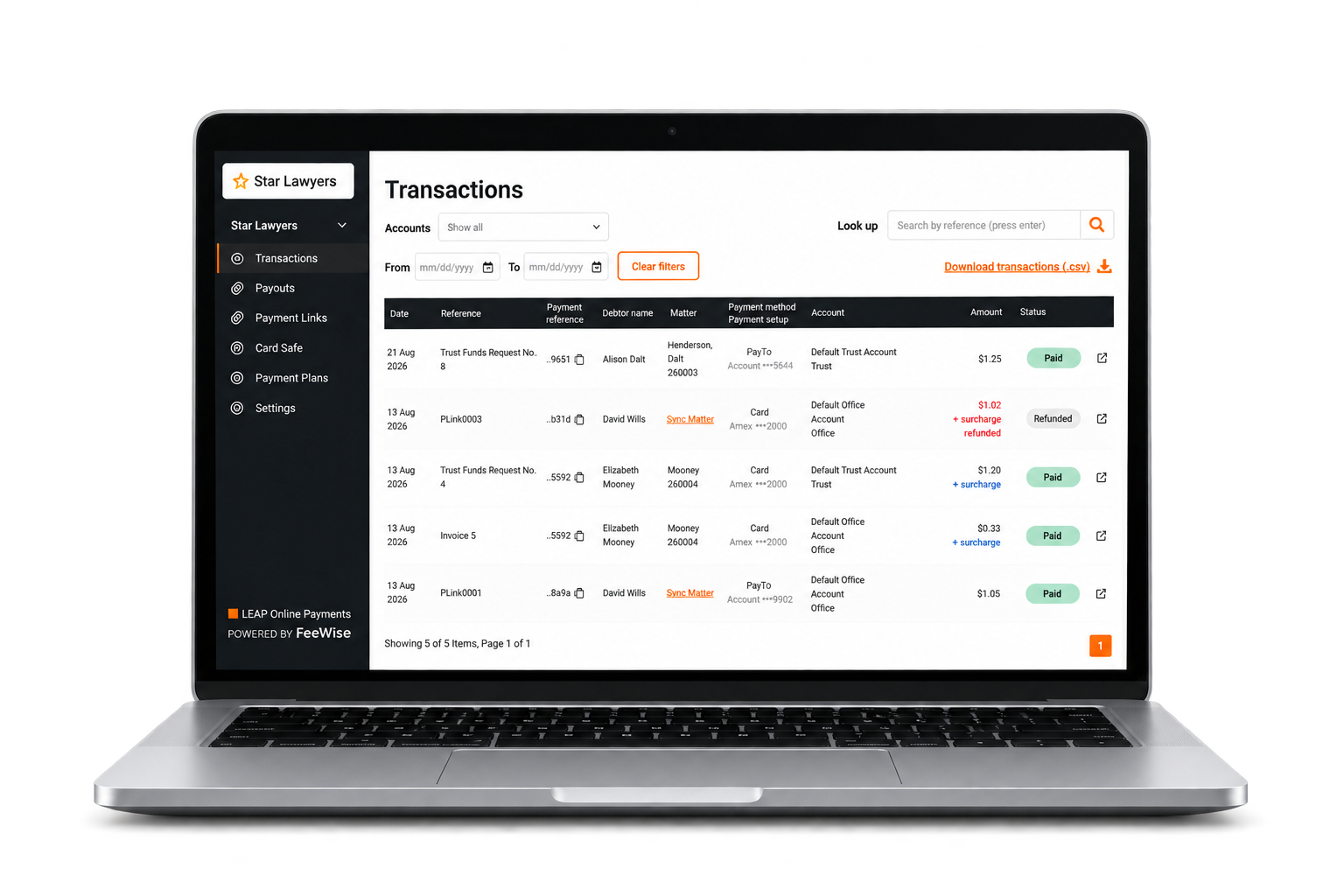
No. Payments made from invoices and trust requests created in LEAP are automatically receipted to the relevant matter. Payments collected using Payment Links, Card Safe or Payment Plans can be receipted to the appropriate matter using Matter Sync in the Transactions tab of your Dashboard. Refunds must be adjusted manually in LEAP.
Will payments be allocated to the correct matter automatically?⌄
Yes. Payments made through an invoice or trust request are automatically allocated to the relevant matter. Payments collected through a Payment Link, Card Safe or payment plan can be reviewed and synced to the appropriate matter and invoice or trust request through the Transactions tab of the Dashboard.
How do we make sure a payment goes to the correct trust or operating account?⌄
Payments made from a LEAP invoice are paid into your firm’s default operating account, while payments made from a LEAP trust request are paid into your firm’s default trust account. When creating a Payment Link or Payment Plan, your firm selects the trust or operating account that should receive the payment.
How long does it take for payments to reach our bank account?⌄
Payouts are processed daily and generally reach your firm’s nominated bank account within two business days. Your firm can view the status and transaction details for each payout in the Dashboard.
Can we see which transactions are included in each payout?⌄
Yes. The Payouts area of the Dashboard provides the details of each payout and lists the individual transactions included in it, making it easier to reconcile the lump-sum deposit received by your firm.
Real-time notifications
Will we know when a client has paid and when the funds have been deposited?⌄
Yes. Your firm receives a real-time notification when a client payment is completed and a separate notification when the payout is processed. Payment and payout status can also be viewed in the Dashboard under Transactions and Payouts.
Refunds
Can I add notes or details when issuing a refund?⌄
When creating a refund, your firm can add relevant notes and details to help identify and maintain a record of the refund.
Where do refunded funds come from, and where are they returned?⌄
When creating a refund, your firm selects the nominated bank account from which the funds will be withdrawn. The refund is returned to the client’s original payment method.
Can my firm issue a partial refund?⌄
Yes. Your firm can issue either a full or partial refund from the relevant transaction in the LEAP Online Payments Dashboard under Transactions > Refund Request.
Payment Links
Can a Payment Link be used for either a fixed or client-entered amount?⌄
Yes. Your firm can create a Payment Link for a fixed amount or allow the client to enter the amount they have agreed to pay. This gives clients the flexibility to make an agreed partial payment rather than paying an invoice in full.
Can the same Payment Link be used more than once?⌄
Yes. A Payment Link can be reused to collect multiple payments, so your firm can share the same link with different clients or use it for recurring payment requests. Each completed payment will appear as a separate transaction in the Dashboard.
Can we take payments before a matter has been created in LEAP?⌄
Yes. You can use a Payment Link to collect consultation fees or money on account during the intake process, before a matter has been created in LEAP. Once the matter is created, the payment can be synced to the appropriate matter in LEAP.
Card Safe
Does our firm need to handle or store clients’ card details?⌄
No. Clients can enter their card details securely when making a payment, without your firm needing to save them. If your firm uses Card Safe, you can securely save a client’s card for future authorised payments or use it to establish a Payment Plan.
Payment Plans
Can an active Payment Plan be changed?⌄
An active Payment Plan cannot currently be edited. If the amount, frequency or schedule needs to change, cancel the existing plan and create a new one.
What should we do if a client wants to pay off a Payment Plan early?⌄
Create a Payment Link for the remaining balance. Once the payment has been completed, cancel the active Payment Plan to prevent further scheduled payments.
Pay Later
Does my firm have to offer Pay Later as a payment option?⌄
No. Pay Later is optional. Your firm can choose whether to offer it to clients by turning the payment option on or off in the LEAP Online Payments Dashboard under Settings > Payment Settings.
If my client does not make their Pay Later repayments, is there any recourse to my firm?⌄
No. Your firm receives the payment in full upfront, and your client makes their repayments directly to Klarna. If the client fails to make a repayment, there is no recourse to your firm.
Premium Services
What happens to RapidPay Payment Reminders and Bank Data Feeds?⌄
You do not need to transition all of your RapidPay Premium services at the same time as your payment processing. You can continue using your existing RapidPay Payment Reminders and Bank Data Feeds during the transition while replacement functionality is introduced in LEAP Online Payments. We will provide further information as it becomes available. RapidPay Premium monthly subscription fees and EFT receipting charges will continue during this period.
What will happen to existing RapidPay instalment plans after RapidPay shuts down?⌄
Firms migrating from RapidPay to LEAP Online Payments will continue to have access to their existing RapidPay instalment plans until 1 December 2026. We recommend creating replacement Payment Plans in LEAP Online Payments as soon as possible. Once the new Payment Plan has been set up and confirmed, cancel the corresponding instalment plan in RapidPay. If your firm needs additional assistance managing the transition of existing instalment plans, please contact sales@getfeewise.com. All RapidPay payment processing, including existing instalment plans, will cease from 1 December 2026.Instalment Plan transition to Payment Plans
Can our bank account details still appear on our invoice or trust request footers?⌄
Yes. If your firm currently uses RapidPay Bank Data Feeds, your bank account details can continue to appear on your invoice and trust request footers during the transition. This functionality will continue with the new Bank Feeds feature in LEAP Online Payments when it becomes available.
Training and support
Who do I contact if I need help with LEAP Online Payments?⌄
Contact the FeeWise team at sales@getfeewise.com if you need help with your transition to LEAP Online Payments.Email sales@getfeewise.com
What will happen to the RapidPay links we have already sent to clients?⌄
Existing RapidPay links will automatically direct clients to the LEAP Online Payments checkout after your firm has been activated. Clients can continue using the links they have already received, and your firm will not need to reissue them.